
Assetto Corsa News
Assetto Corsa Servers: How to Find and Join Them

Oct
You want to race real people in Assetto Corsa. 🏁 Here is the short version: install Content Manager, open the Online tab, filter the list by ping, track and driver count, pick a server, choose a car and hit Join. Missing content gets flagged before you drive, and most problems come down to a firewall, a proxy or a mod you have not installed yet. This guide covers every step, plus how to choose between racing, drifting and free-roam servers.
TL;DR
- 🔥 Content Manager gives you a far better server browser than the stock launcher: filters, sorting and missing-content detection.
- 🏎️ To join: Drive > Online, search the server name, select it, pick a car, click Join. Enter the password if there is one.
- 🛠️ Cannot see a server list? Check your firewall, antivirus, tunneling software and proxy first.
- 🏆 Modded servers need the right cars, tracks and sometimes CSP. Download them first and you are on the grid in minutes.
- 🚦 Assetto Corsa Competizione has its own multiplayer system, so these steps are for the original Assetto Corsa.
Table of Contents
- What an Assetto Corsa server actually is
- Get set up before you search
- How to join an Assetto Corsa server
- How to find a server worth joining
- What you need to join a modded server
- Can’t connect? Run through this checklist
- Are there active servers in 2026?
- Perspective: why content makes or breaks a server
- Get the content, then join the grid
- What about Assetto Corsa Competizione and EVO?
- Hosting your own server: a quick look
- Tips to get the most from online racing
- FAQ
- Sources
What an Assetto Corsa server actually is
An Assetto Corsa server is a machine running the game’s server software. It hosts one track, a list of allowed cars and a session schedule (practice, qualifying, race). Anyone who meets the requirements can connect and drive together in real time.
There are three flavors you will meet again and again:
- Race servers. Fixed session formats, often with qualifying and a timed race. Think leagues and organized events.
- Drift and touge servers. Open sessions on mountain or street maps, usually with modded cars.
- Free-roam servers. Persistent open worlds. AssettoServer, a popular open-source custom server, adds AI traffic and dynamic weather for exactly this kind of driving.
The flavor decides what you need to download, so it pays to know what you are after before you click anything.
Get set up before you search
A few minutes of prep saves a lot of frustration. 🔧
- Own and update the game. Assetto Corsa on Steam, fully updated.
- Install Content Manager. It is widely treated as the community-standard launcher, because it offers server filtering, automatic missing-content detection and direct downloads that the stock launcher lacks.
- Install Custom Shaders Patch (CSP) if servers ask for it. Many modded and freeroam servers expect it. Some security features need specific versions: AssettoServer’s Steam Authentication, for example, requires CSP 0.1.75 or newer and a recent Content Manager build.
- Make sure you have disk space. Modded car and track packs add up fast, especially full season packs.
How to join an Assetto Corsa server
The Content Manager way
This is the route most players use.
- Launch Content Manager.
- Open the Drive menu.
- Go to the Online tab.
- Click the magnifying glass and type the server name, or just browse the list.
- Select the server. Enter the password if it asks for one.
- Pick an available car and press Join.
If the server uses content you do not have, Content Manager tells you what is missing and can often fetch it directly. That alone is a huge time saver.
The stock launcher way
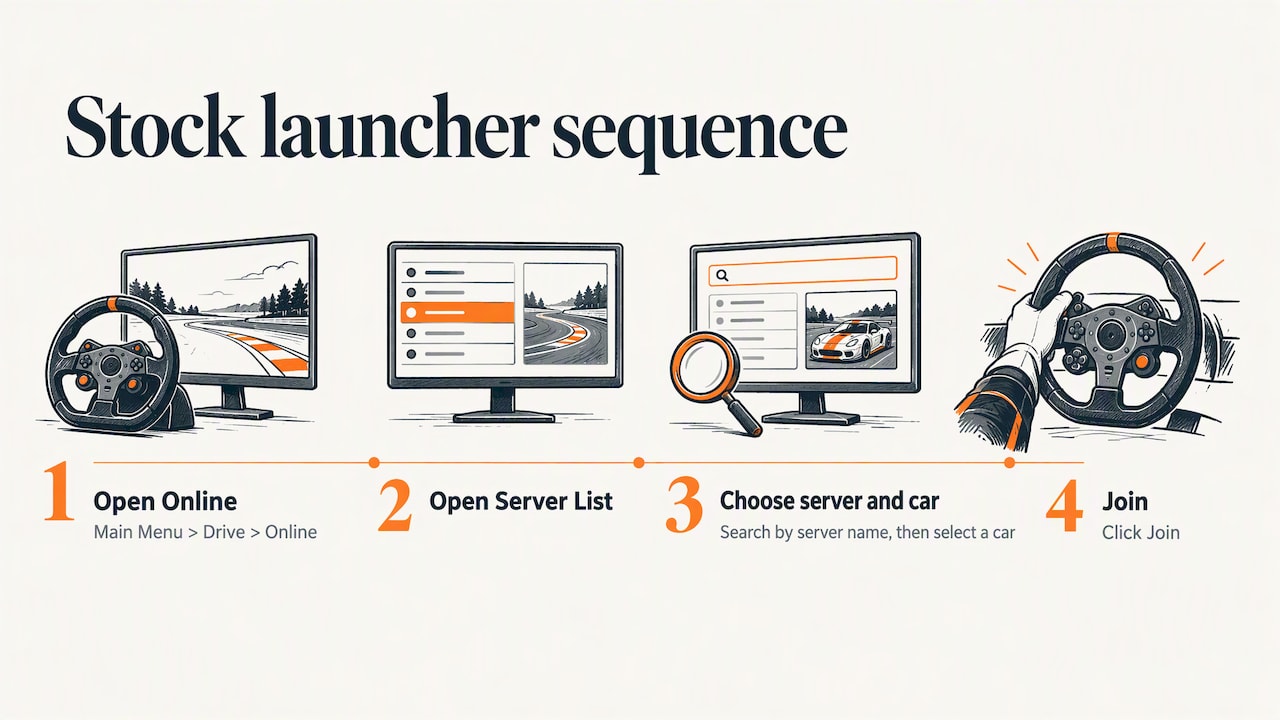
No Content Manager? You can still do it. Launch the game, then go to Main Menu > Drive > Online > Server List. Search for the server name, select it and a car, then click Join. It works fine for servers that run only the base game content. For anything modded, you will be happier in Content Manager.
Direct-join links
Many leagues and communities publish direct-join links. Click one and it opens in Content Manager, so you skip the searching entirely. Look for these in league Discord servers and event announcements.
How to find a server worth joining
The list can hold hundreds of entries. Here is how to cut it down. 🎯
Filter and sort smartly
In Content Manager’s Online tab, filter by car, track, ping or driver count and sort by how busy a server is. A few rules of thumb:
- Sort by players to find where the action is. An empty server is a lonely lap.
- Watch ping. Lower is better. Wheel-to-wheel racing gets ugly with high latency, while free roam is more forgiving.
- Check the session. Is it practice, qualifying or a race? Joining mid-race means you spectate or start from the pits.
- Look at the car list. If you only own the stock cars, filter for servers that allow them.
Search by keyword
The search box is your friend. Typing a word like “drift” into the server search and sorting by players is a quick way to find drift lobbies, a trick regularly shared by players on the Steam community forums. Try “touge,” “freeroam,” “GT3” or a league name too.
Match the server to your goal
| Your goal | What to search for | What to prioritize |
|---|---|---|
| Clean competitive racing | League names, “race,” specific car classes | Low ping, scheduled sessions, rules in the description |
| Drifting | “drift,” “touge” | Player count, mod car packs, CSP |
| Free driving / trackday | “freeroam,” “trackday” | Traffic and weather features, map quality |
| Historic F1 | Season or year in the name | The correct car and track packs installed |
What you need to join a modded server
Modded servers are where Assetto Corsa really shines. They also have the most requirements. Here is the checklist:
- Cars. Every car on the server’s entry list that you want to drive must be installed, with matching versions.
- Tracks. The server’s track must be in your game folder. Content Manager will flag it if not.
- CSP. Some servers require it, and some require a minimum version.
- Skins and extras. These are usually optional but make the grid look right.
Here is the fun part. 🔥 If you love historic Formula 1, a server running a classic season is only as good as the content behind it. Detailed 3D models, accurate liveries and authentic tracks turn a lobby into a time machine. That is why we focus so hard on complete season packs.
Can’t connect? Run through this checklist
Nothing kills the mood like an empty list or a failed join. Work through these in order:
- No server list at all? According to the official Assetto Corsa lobby page, check whether firewall or antivirus software is blocking AssettoCorsa.exe, whether tunneling software is misconfigured, or whether an unresponsive proxy is set.
- Add exceptions. Allow the game and Content Manager through your firewall and antivirus.
- Turn off VPNs and tunnels while testing. Turn them back on once you know they are not the cause.
- Check for missing content. If the join fails after you select a car, a car or track mismatch is the usual suspect.
- Check versions. Outdated CSP or Content Manager can block servers that enforce newer security features.
- Try another server. If one server fails and others work, the issue is on the host’s end or in its settings.
Are there active servers in 2026?
Yes. Players on forums still ask where to find busy public lobbies, especially ones that allow modded cars, and the answer is the same: use a proper server browser, sort by players and look for community-run servers with clear descriptions. The game is old, but its community racing scene is alive. Free-roam projects, drift communities and historic-season leagues all keep servers running.
Perspective: why content makes or breaks a server
We see it every week. A server can have perfect netcode and still feel flat if the content is thin. Racers come back to lobbies with authentic cars, accurate tracks and real racing history. That is the whole idea behind what we do: complete, highly detailed seasons that make an online race feel like the real grid, from the cars to the circuits.
Our advice for any driver is simple. Pick the era you love, install the full pack, then find the server running it. Do not settle for a random lobby with mismatched cars. A shared, well-built set of content is what turns a handful of strangers into a proper race. And a community that races together keeps coming back.
— User
Get the content, then join the grid
Want the cars and tracks that make historic and modern Formula 1 servers come alive? 🏆 Browse our Assetto Corsa and Assetto Corsa EVO mod collections for cars, tracks and complete season packs, and join our community racing servers once you are set up. Need models for your own projects? Check out our F1 2026 3D models collection.
You can also start from our home page to see everything in one place.
What about Assetto Corsa Competizione and EVO?
Different games, different multiplayer.
Assetto Corsa Competizione (ACC). Public multiplayer includes community-run and official Kunos servers. According to 505 Games’ support page, you can use Quick Join or a personalized server list, while competition servers and private leagues are separate options. Quick Join and recommendations can take into account preferences such as track, night or rain races and latency. You do not need Content Manager for ACC.
Assetto Corsa EVO. It is a separate title, and you should treat it as such. Server tools, mods and joining methods for the original game do not automatically carry over, so check the current in-game options and official channels for how multiplayer works in your build. We carry content for both games in our Assetto Corsa category, so you can follow the one you play.
Hosting your own server: a quick look
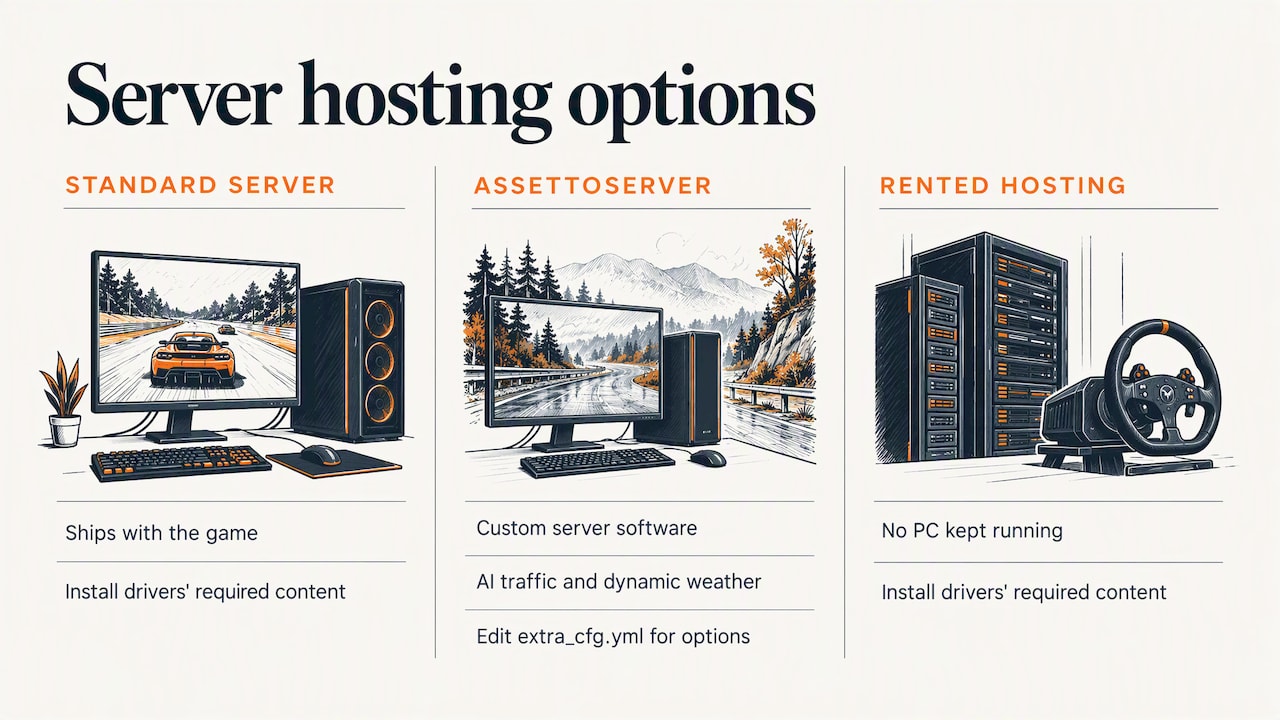
Want to run your own lobby? Two common routes exist. You can use the standard server that ships with the game, or a custom server such as AssettoServer. The AssettoServer team has a beginner’s guide for setting up a free-roam server on Windows and describes features like AI traffic and dynamic weather. Admins configure it by editing the extra_cfg.yml file, which unlocks advanced options and community plugins. Rented game-server hosting is a third option if you do not want to keep a PC running. Whichever you choose, install the same content on the server that your drivers will need.
Tips to get the most from online racing
- 🏁 Read the server description. Rules on contact, penalties and car choice often live there.
- 🏁 Practice first. Learn the track offline so you do not wreck other people’s races.
- 🏁 Be patient with joins. If a race is running, wait for the next session.
- 🏁 Join a community. Leagues, Discord groups and event servers beat random lobbies for consistent racing.
- 🏁 Keep content updated. Version mismatches are a common cause of failed joins.
FAQ
Are there still public Assetto Corsa servers?
Yes. Community-run servers for racing, drifting and free roam are still online. Use Content Manager’s Online tab, sort by player count and search keywords like “drift” or “freeroam” to find busy ones.
How do I join an Assetto Corsa server?
Open the Drive menu, go to Online, search for the server name and select it. Enter the password if needed, choose a car and click Join. In the stock launcher, the path is Main Menu > Drive > Online > Server List.
Why can’t I see any servers?
The usual causes are a firewall or antivirus blocking AssettoCorsa.exe, misconfigured tunneling software or an unresponsive proxy. Allow the game through your security software, disable VPNs temporarily and try again.
Do I need mods to play online?
Not always. Servers that run only stock content need no extras. Modded servers need the listed cars and tracks, and some require CSP, so download those before you join.
Does this work for Assetto Corsa Competizione?
No. ACC has its own multiplayer system with Quick Join, a personalized server list, competition servers and private leagues. The Content Manager steps here are for the original Assetto Corsa.
#AssettoCorsa #SimRacing #AssettoCorsaMods #F1Mods #RacingServers
Sources
- Content Manager for Assetto Corsa: Free Setup Guide
- Assetto Corsa lobby
- AssettoServer documentation: introduction
- AssettoServer documentation: version 0.0.50 introduction
- How does multiplayer work in Assetto Corsa Competizione? (505 Games support)